Everything I own, owned
Over the past couple weeks I’ve been doing agent-driven reverse engineering of peripherals that happen to be within arm’s reach. From those devices, I’ve come away with a full plaintext command shell inside my microphone, a webcam whose activity LED I can switch off while it records, and a key light that hands out memory writes to anyone on the WiFi. Peripherals have proven to be an ideal target for agentic RE - they’re tiny computers attached to my computer, with a data connection to the host and usually a firmware update mechanism, so an agent has something to iterate against. The net outcome is better control and understanding of my machine.
My process was pretty much the same for each of these devices: grab a copy of the device’s firmware and associated update tool from the manufacturer, throw it into my reverse engineering environment, tell Claude Opus 5 what my goals are, and let it churn. Depending on the device, the goals were somewhat different, but they usually looked something like:
In this directory is the firmware and update utility for ___. The device is also attached to this computer, and you may interact with it in non-mutating ways. Exhaustively document and cross-validate the entire firmware, including the following goals:

* reverse engineer the firmware update format and update protocol
* implement our own update utility
* determine the security properties of the update protocol, including checksums, signature validation, secure boot
* use static and dynamic analysis to determine all protocol surfaces and completely enumerate functionality
* find any hidden or debug functionality in the product and how to access it
Depending on the results, there were different directions of follow-up, but you should get the general idea. Let’s run through the list - each device links to a GitHub repo full of generated-slop docs and scripts, most of which have been validated live against real hardware. I’ve also included the effort each device took, pulled out of the Claude Code session transcripts. “Churn” is the time Claude was actually working, with the long idle gaps removed. “Prompts from me” is every message I typed, including the one-word ones telling it to keep going. All five devices together came out to about 13 hours of churn and 98 prompts, spread across two weeks of evenings.
I’ve shared everything in this post with the vendors involved.
Everything I own
Insta360 Link webcam
GitHub repo - 3.7 hours of Claude churn, 33 prompts from me
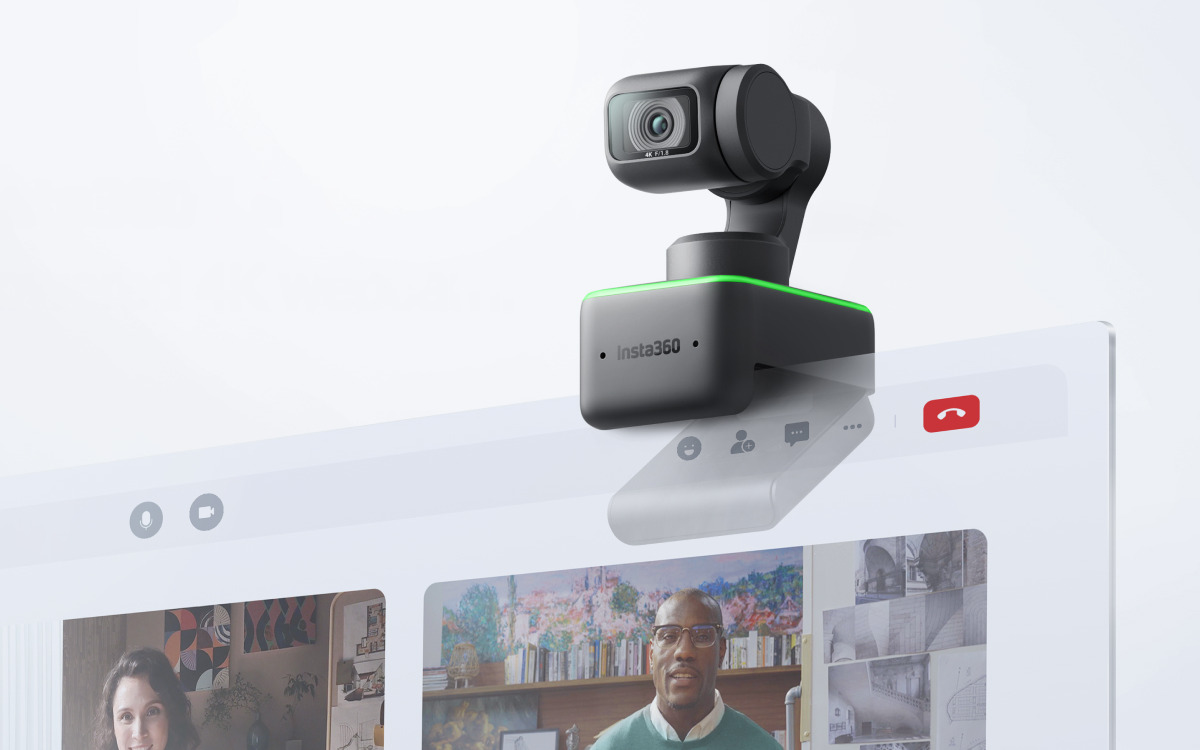
I use an Insta360 Link webcam, which is a nice gimbaled pan-tilt-zoom camera that does face tracking for automatically framing the shot. I wanted to know if it was possible to subvert the activity LED, like in the classic iSeeYou exploit.
Interestingly, it was immediately obvious that this camera has a lot going on inside it. It turns out that it runs a whole RTOS (ThreadX) sourced from the upstream SoC vendor, Ambarella. The RTOS hosts several small vision models that provide things like the aforementioned face tracking, as well as gesture detection for controlling settings. Pretty amazing complexity inside a tiny webcam, but it also means there’s some exciting attack surface here.
Over the USB Video Class interface, there’s an XU (Extension Unit) command that kicks the device into “mass storage” mode. This then lets us transfer a staged firmware update to the device’s internal FAT filesystem, which the device then applies to itself on reboot. This route does require user intervention to reboot with a replug, but there’s actually another command channel that exposes arbitrary read/write of files and a reboot command over the USB vendor class. With this, we can fully flash the device without any user interaction. Once the firmware is in the right place, there’s effectively no anti-tamper, just an appended MD5 hash to ensure integrity.
The indicator LED turns out to have a well-structured set of “patterns” in the firmware that dictate color, blink pattern, etc. that are indexed into for various device states. I had Claude write a tool to patch out the table entry for camera activity, fix up the integrity hash, and flash it to the camera. A quick test showed that the green LED that normally illuminates while recording no longer turned on. Horrifying! On this device, the gimbal itself also deflects down when not recording, so it’s not completely stealth, but it still doesn’t feel great.
The LED behavior before and after patching.
ASUS ROG Swift PG42UQ monitor
GitHub repo - 1.2 hours of Claude churn, 13 prompts from me

My ASUS ROG Swift PG42UQ monitor was actually where I started, because I got annoyed at the pop-up overlay that comes up every once in a while that tells me to run “pixel cleaning”. I have never intentionally run pixel cleaning on this monitor and I never will, I don’t care, and I would like for that overlay to go away forever. Maybe there’s a debug menu or something that can turn it off, or worst case we patch a branch in the firmware?
Claude found that the firmware has effectively no protection whatsoever - there’s a two-slot A/B scheme and a simple checksum, but ultimately we can write whatever we want to the thing. Firmware updates run over an I2C bus bridged over USB.
The pixel cleaning warning turns out to have no native way to disable it, and it’ll always show up after 8 hours of runtime. Oh well. Claude did find the appropriate area to patch to kill the functionality though. I haven’t actually been brave enough to write a modified firmware to the thing yet - it’s a pretty expensive monitor - but I’ll get there at some point.
Another neat thing was exploring the DDC/CI interface. This is the control channel available over the display cable itself, allowing the host to change inputs and other settings. I believe ASUS offers this through their Windows utility, DisplayWidget, but that does little for me on Linux. So, now I have a shell script that can flip through some of the DDC/CI features like the hardware crosshair or zoom overlays, FPS counter, and countdown timer. I might set up some of these on hotkeys in the future for easy access.
Shure MV7 microphone
GitHub repo - 4.2 hours of Claude churn, 32 prompts from me

At this point, there’s less actual incentive to keep popping these devices and more just morbid curiosity. My microphone, the Shure MV7, connects over USB and obviously has some amount of smarts to it, with on-device digital volume controls and such.
The firmware for this one turned out to be hidden inside the Windows software, MOTIV Mix, so Claude installed that in Wine, found the update server, and pulled it down. I wasn’t on the latest, so there was actually a reasonable incentive here to get this working just to update my microphone from Linux. The firmware turned out to contain both DSP and MCU firmware, and was honestly pretty boring as you might expect. Again, no real security on the firmware flash itself.
However, the update protocol revealed that the entire thing actually runs over a USB HID vendor class protocol
that implements a full plaintext command shell, with 48 different commands. Since it’s HID, we can actually
hit this over WebHID from a webpage in Chrome, so I had Claude build a
web interface for using the shell. There’s all sorts of
interesting settings in here including a dozen DSP knobs, arbitrary memory read/write, LED control, and a 4-tier
user privilege system whose
entire authentication
is a string comparison against the name of the tier you asked for. su sup just works, and the top tier can
disable the touch panel so you can’t mute at the device, and drive the mute LED independently of whether the
microphone is actually muted. It’s the webcam LED trick again, on a microphone. Obviously, be aware that you
could probably break your device if you use that UI and do something stupid with it.
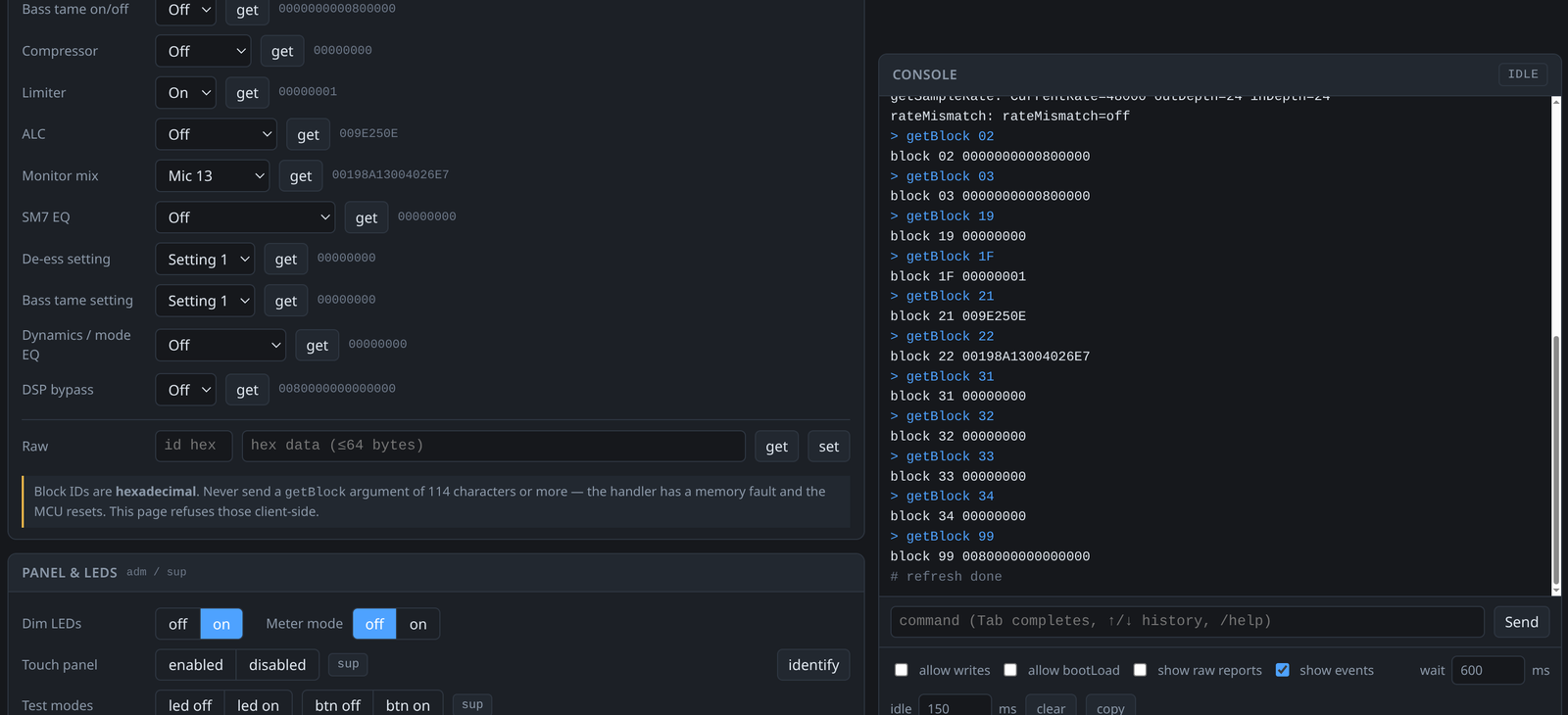 The WebHID shell interface. The DSP knobs on the left are the device’s own settings; the console
on the right is the plaintext command shell talking over HID.
The WebHID shell interface. The DSP knobs on the left are the device’s own settings; the console
on the right is the plaintext command shell talking over HID.
Elgato Cam Link 4K video capture
GitHub repo - 1.5 hours of Claude churn, 10 prompts from me
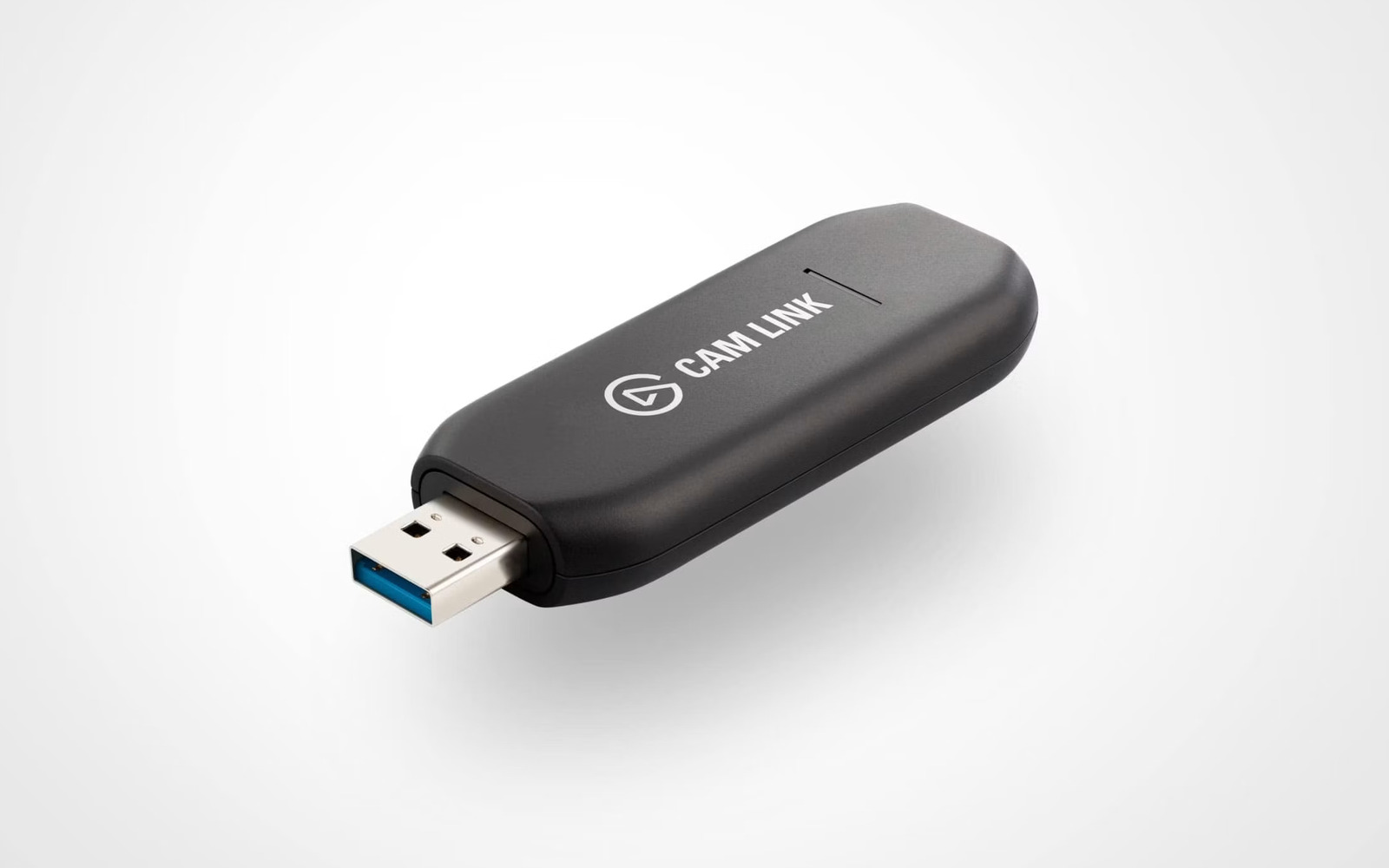
The Elgato Cam Link 4K is just an HDMI video capture device, and honestly was just more of the same. The interesting thing for this one was that I let it go fully unattended - I literally kicked off the process before going to sleep and woke up to a teardown and functioning firmware updater. The firmware contains an MCU image and an FPGA bitstream for the actual HDMI handling, so you could potentially do something fun with the FPGA if you went deep enough into the reverse engineering there. There’s no protection on the firmware update path.
I was able to pull out all the EDID information used for negotiating video parameters, so we know exactly what resolutions, refresh rates, color spaces, and chroma subsampling options are offered to devices.
The vendor HID protocol does include tunneled access to the internal I2C bus, which is kinda neat as you can poke the internal HDMI receiver registers.
Elgato Key Light Mini
GitHub repo - 2.4 hours of Claude churn, 10 prompts from me
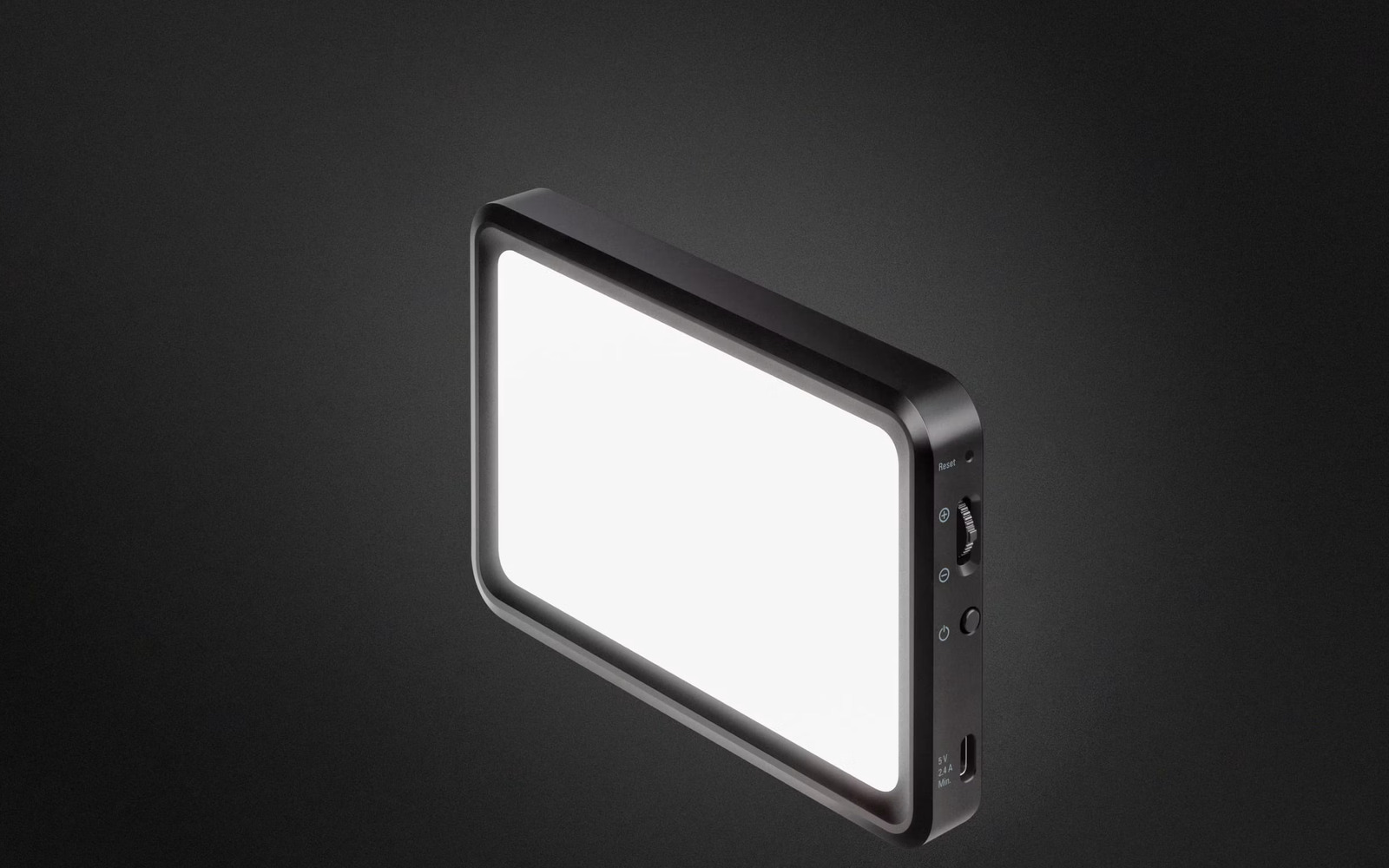
Finally, I poked at something that wasn’t connected over USB but WiFi instead, the Elgato Key Light Mini. This one turned out to be way more interesting than I expected: it’s the only one with meaningful firmware integrity protection. Elgato signs the firmware updates with Ed25519 over a SHA-512 hash of the firmware payload, and rejects firmware that doesn’t validate. This makes sense to do, as the device basically connects to a WiFi network and then provides unauthenticated access to anyone on the same network, so the threat model is inherently different.
Unfortunately, while that’s an improvement over all of the other devices we’ve looked at, it protects the
firmware at exactly one point in time: when an update is happening. It’s not a boot time check enforced by the
bootloader or any other kind of secure boot scheme, and the updater happens to be running while everything
else in the device is still operating, meaning there’s huge attack surface to try to disable that signature
validation. I asked Claude to look for an exploit that might enable this, and it found a doozy:
an HTTP POST request
that drops a payload straight into the internal UART, which includes a
memory poke command.
This means that a single HTTP POST of ATSE=0200ED94,0E001009 turns the signature check into a no-op, and we
can freely update to a
firmware image without a legitimate signature.
I successfully tested this with a simple patch that changed the name of the device, so uh, yeah, don’t put these
on an untrusted network.
…, owned
I have a lot of feelings about this whole thing. As I wrote back in March, this is incredible for interoperability and fixing things that don’t work how we want them to. Hardware is almost universally “open” for tinkering at this point with just a couple hours of mostly hands-off machine-driven labor each, and I look forward to a near future where I can add features to my webcam firmware as easily as I can to software that runs on my Linux machine itself.
On the other hand, as a security professional, this scares me for several reasons. I would work from the operating assumption that any device attached to a computer could have had a malicious firmware implant performed, where previously that required significant per-model investment and was stereotyped as a “state actor” kind of activity. Operating systems aren’t really equipped to work with the user to ensure that a microphone stays a microphone, and doesn’t spontaneously turn into a keyboard that hits Win+R and drops a payload to steal all your data when the room is quiet enough that it can assume you aren’t watching. And the existence of WebUSB, WebHID, and WebBluetooth mean that for some devices, depending on the specifics of which classes are used, a moment of user indiscretion in accepting a permissions prompt could permanently backdoor one of their attached devices.
Network-connected devices seem near universally fucked at this point? There are a few others I’ve poked at that I haven’t documented here, but I’ve gotten a root shell on a commercial Dell display, and RCE on an Eaton UPS. Obviously it was never best practice to let untrusted clients touch these things, but the speed and scale at which this can be executed makes the risk so much higher now.
Finally, I can’t help but think about what an AI-equipped automatically-reverse-engineering worm could do today. It’s only a tiny leap to imagine that someone could make a self-replicating piece of malware that probes its environment, relaying reconnaissance back to a smart command-and-control that actively works to push itself into accessories and IoT devices and industrial equipment found adjacent to an infected target. Two things have kept this from happening: every device model needs its own reverse engineering, and validating any of it needs the hardware in hand. The first is the labor I just handed to an agent. The second is free to malware already sitting on an infected host. Honestly, I wouldn’t be surprised if this already exists, and I think the next few years are going to be extremely interesting. 🫠